Step 1: Character Dialogue
In the previous step, we used Calmare to create the file c0100.clm. Let's
open it and take a look!
calmare fc scena
scena:
	name "Rolent" "C0100.x"
	town town[14]
	bgm bgm[30]
	item fn[0,65535]

entry:
	pos (25000, 0, 9000)
	chr 4
	angle 0deg
	cam_from (0, 9500, -10000)
	cam_at (0, 0, 0)
	cam_zoom 2800
	cam_pers 262
	cam_deg 315deg
	cam_limit 0deg 360deg
	north 0deg
	flags 0x0000
	town town[14]
	init fn[0,0]
	reinit fn[0,1]
There's a lot of content in here, much of which is still not understood. For the purposes of this tutorial, we aren't going to be covering every line of code you'll find in these scripts. However, scroll further down in the file and there will be more easily parsed content: dialogue. Let's take a look at this line of dialogue.
	Emote name[0] 0mm 2000mm 8 9 250ms 2
	SoundPlay sound[15] 0 0 100
	Sleep 1000ms
	TextTalk name[0] {
		#00631v#001FPsych! I've got it right here!{wait}
	} {
		#00632v#001FLet's go make that delivery,
		shall we?{wait}
	}
	TextWait
This is from a scene in the Malga Mine in Rolent early in FC, right after
Estelle and Joshua acquire a large chunk of septium. As seen here, dialogue is
written out in plain text within this TextTalk instruction. When the game
reaches this part of the script, Estelle will say this dialogue.
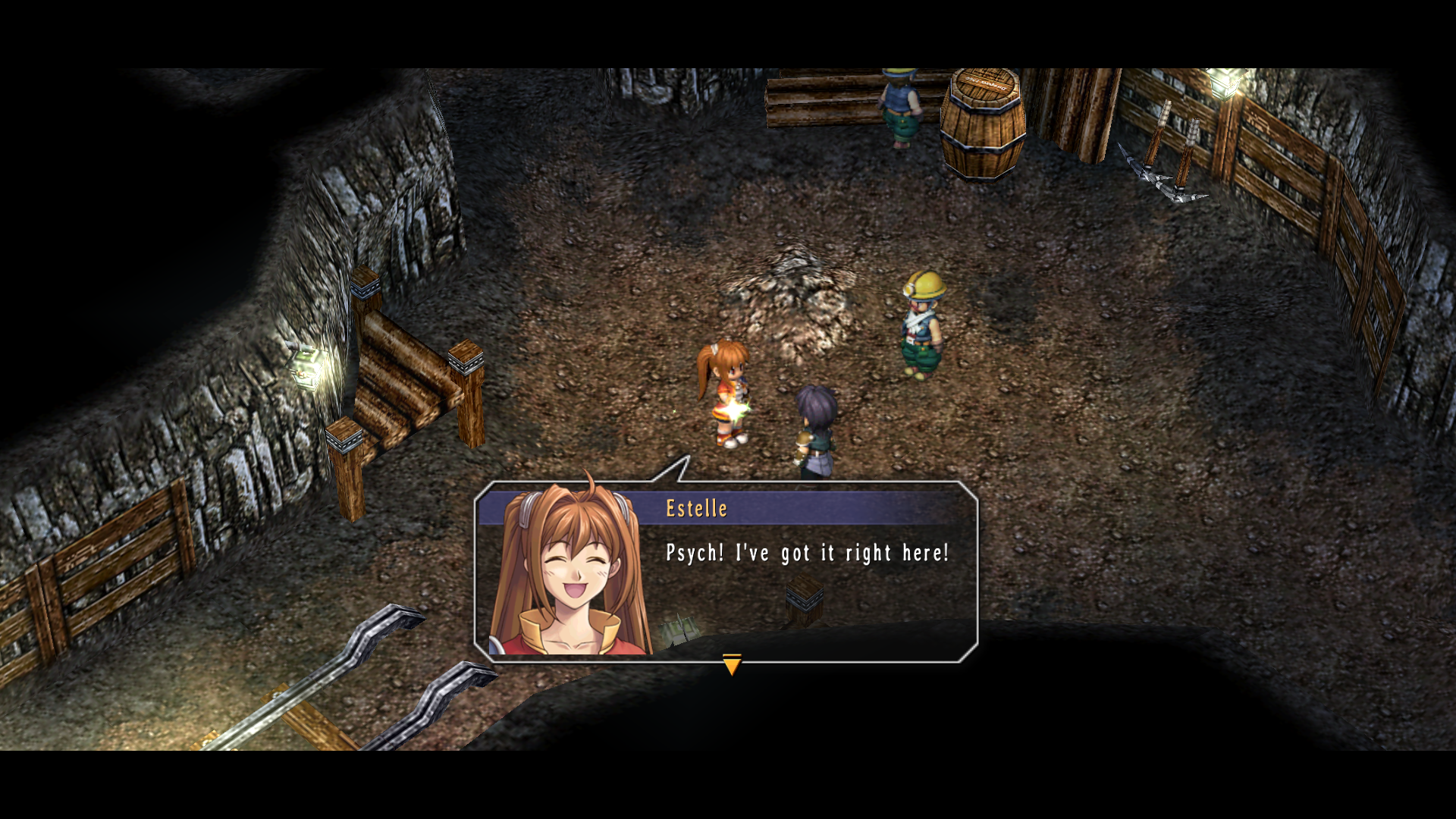
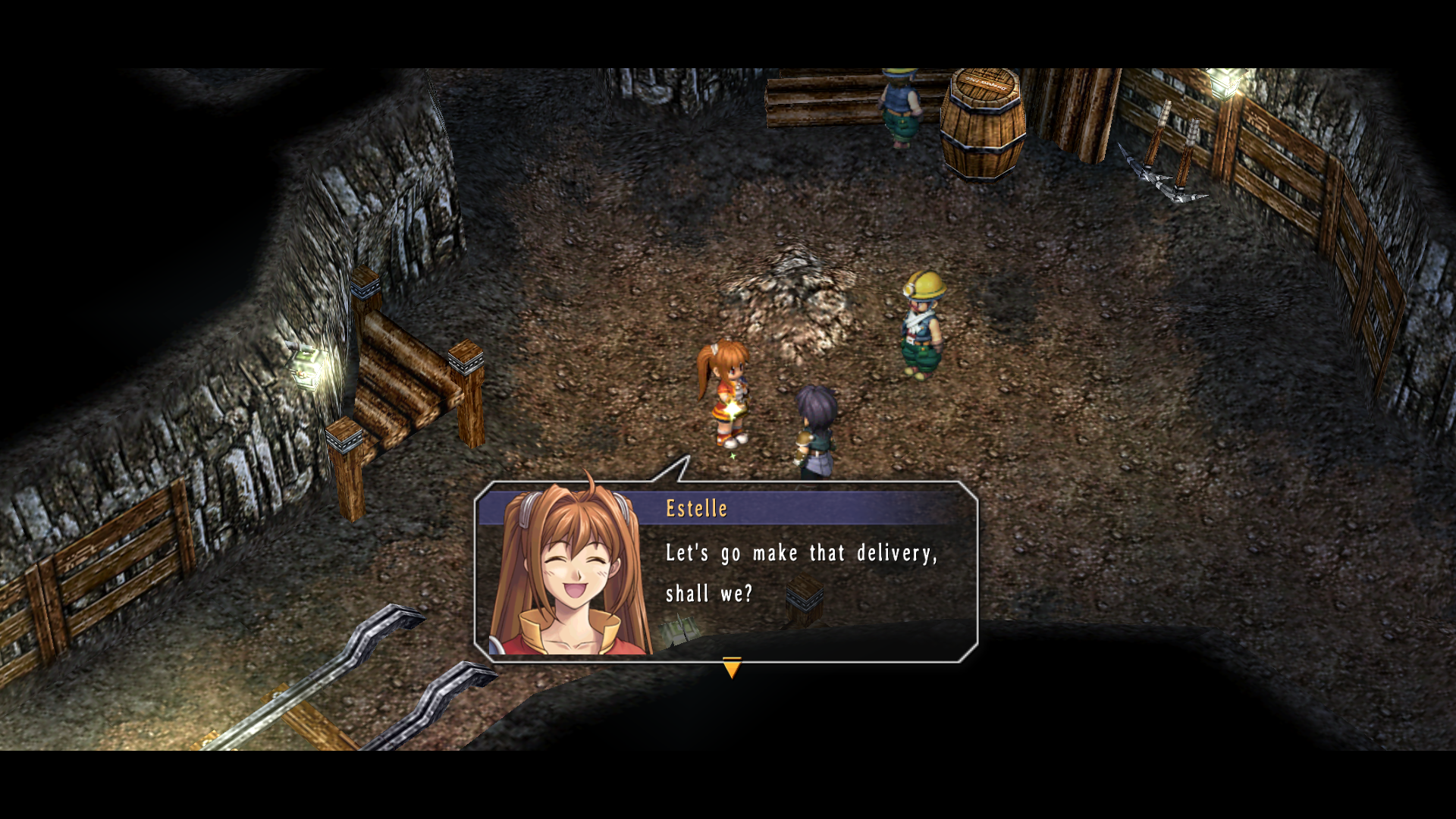
	TextTalk name[0] {
		#00631v#001FPsych! I've got it right here!{wait}
	} {
		#00632v#001FLet's go make that delivery,
		shall we?{wait}
	}
	TextWait
Most of this should be fairly self-explanatory, but there are a number of things to note:
-
name[0]refers to Estelle. What each number there refers to is defined in a file namedt_name._dt, but for now, just remember thatname[0]is Estelle andname[1]is Joshua. -
Line breaks inside the dialogue are kept as-is.
-
#00631v- Syntax like this is used for various kinds of text formatting and similar. Thevspecifier, like here, it is used to play voice clips with the dialogue. The Crossbell games use capitalV, which maps directly to files indata/voice. Lowercasevlike here comes from SoraVoice, and uses a mapping defined here. -
#001F- TheFspecifier sets the portrait that is shown next to the text. It refers to the fileh_kao###._ch1 (顔 kao is Japanese for "face"). -
A more in-depth tutorial on text formatting can be found in Appendix A;
-
{wait}- Tells the game to wait for the user to press a key before continuing. You'll see this one on almost every dialogue box. -
TextWait- Waits for the previous dialogue box be closed by the user. Again, you'll see this on almost every dialogue.
Now, let's change the portraits and dialogue:
	TextTalk name[0] {
		#00631v#414FIt's best girl Josette!{wait}
	} {
		#00632v#855FCuteness is justice,
		right?{wait}
	}
	TextWait
Save the file and drag it onto calmare.exe. Finally, the first fruits of your
labor can be seen!
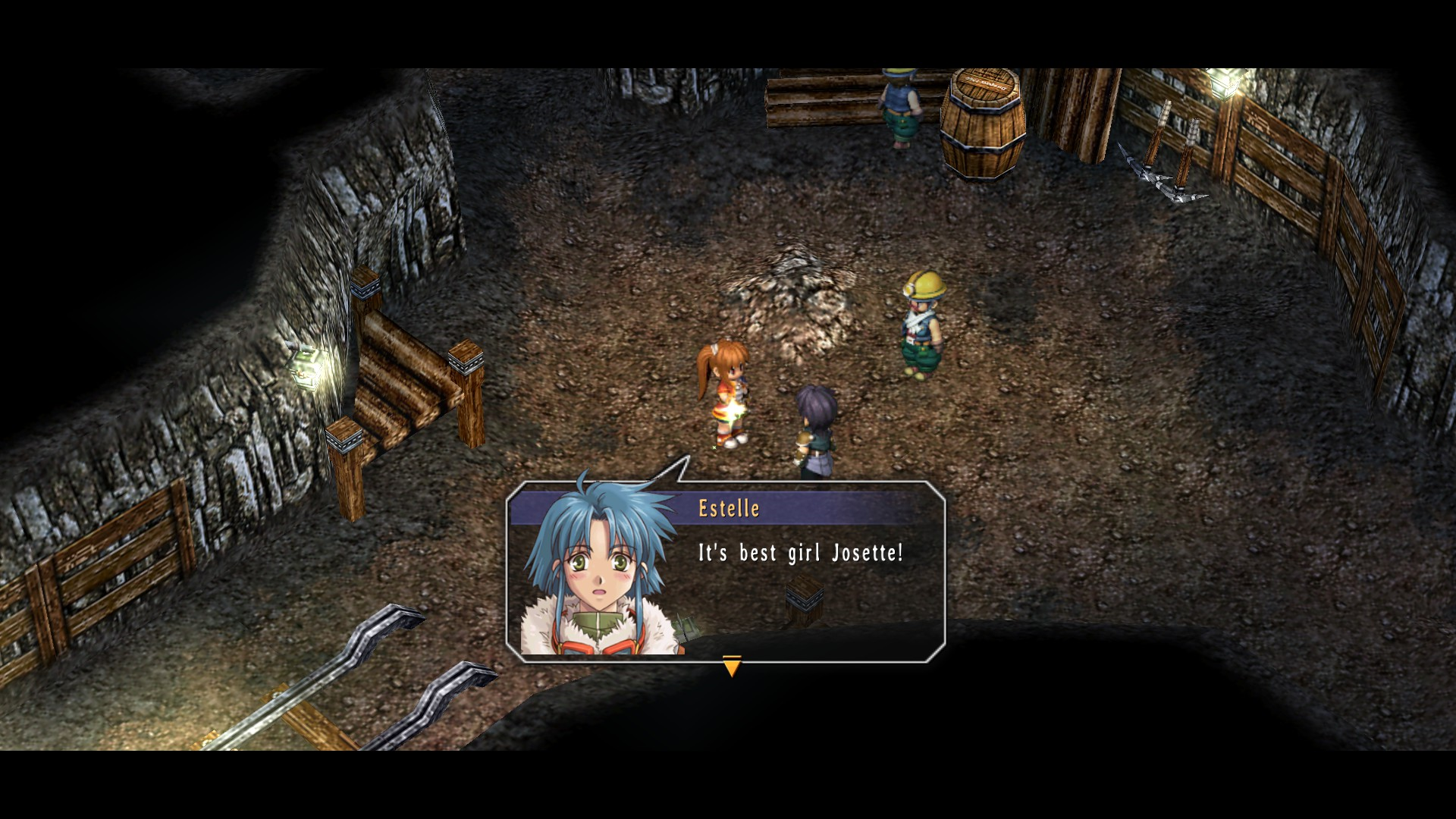
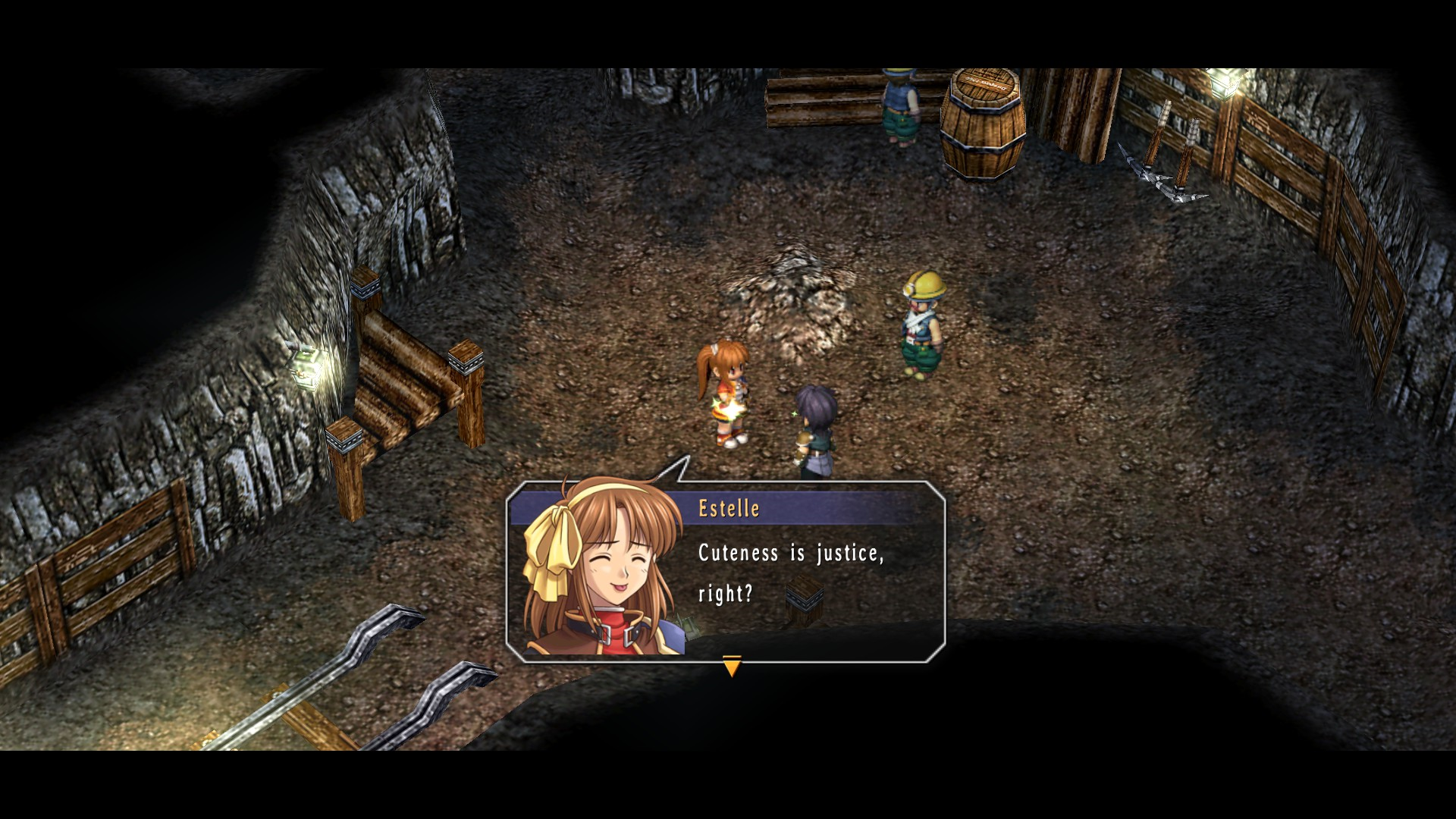
As seen above, it is possible to change the dialogue and the shown portraits!
In later games you may see four-digit numbers. They map to h_ka####._ch,
with the "o" being cut off.